 Fledge
Your Nest thermostat, out of the nest.
Fledge roots a Nest Learning Thermostat over USB, cuts it loose from Google's cloud, and puts Home Assistant on its own screen.
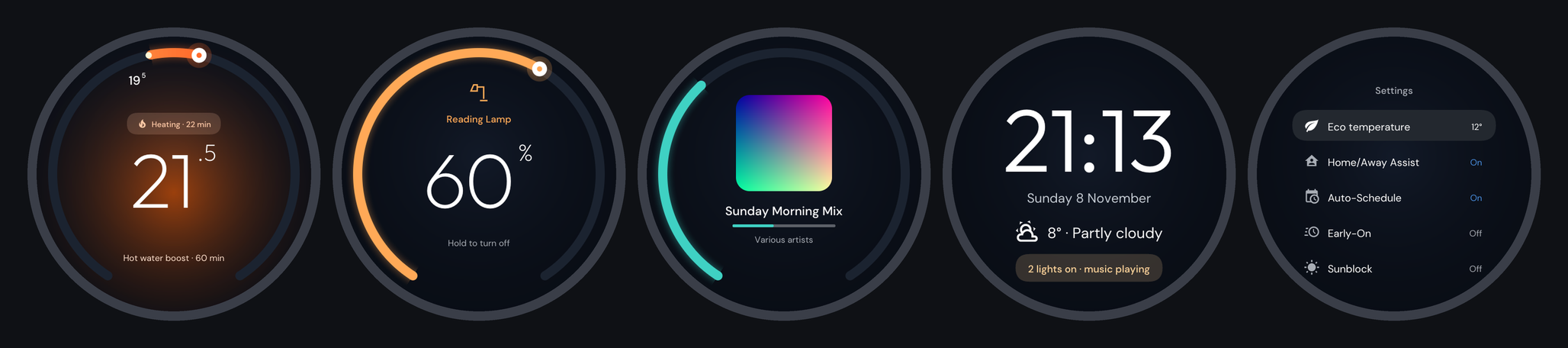
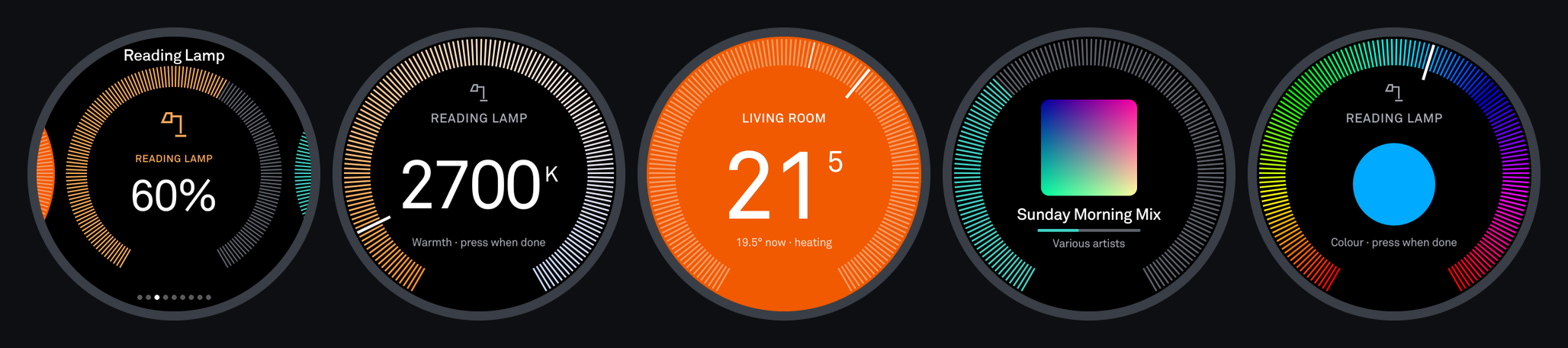
Drawn by the code that runs on the thermostat. Not filmed.
Walk up, and your devices show around the thermostat. Turn to browse, press to open, and the ring becomes that device's control, with the Nest's own clicks.
Turn: brightness
Dim, switch, and set warmth and colour. A light group is one card for the whole room.
Turn: temperature
Any Home Assistant thermostat, set the way the Nest sets its own.
Turn: volume
Album art, what's playing and how far through. Hold to pause.
Press: run
One press for Goodnight, or anything else you've built.
Turn: how open
Set the position, or open and close from the card's menu.
Press: a fresh picture
The latest still fills the round screen. A doorbell can put it there by itself.
The Fledge integration adds its own page to Home Assistant's sidebar. Every card on it is drawn by a port of the code that draws it on the thermostat, live from your devices, so what you see there is what the Nest will show.
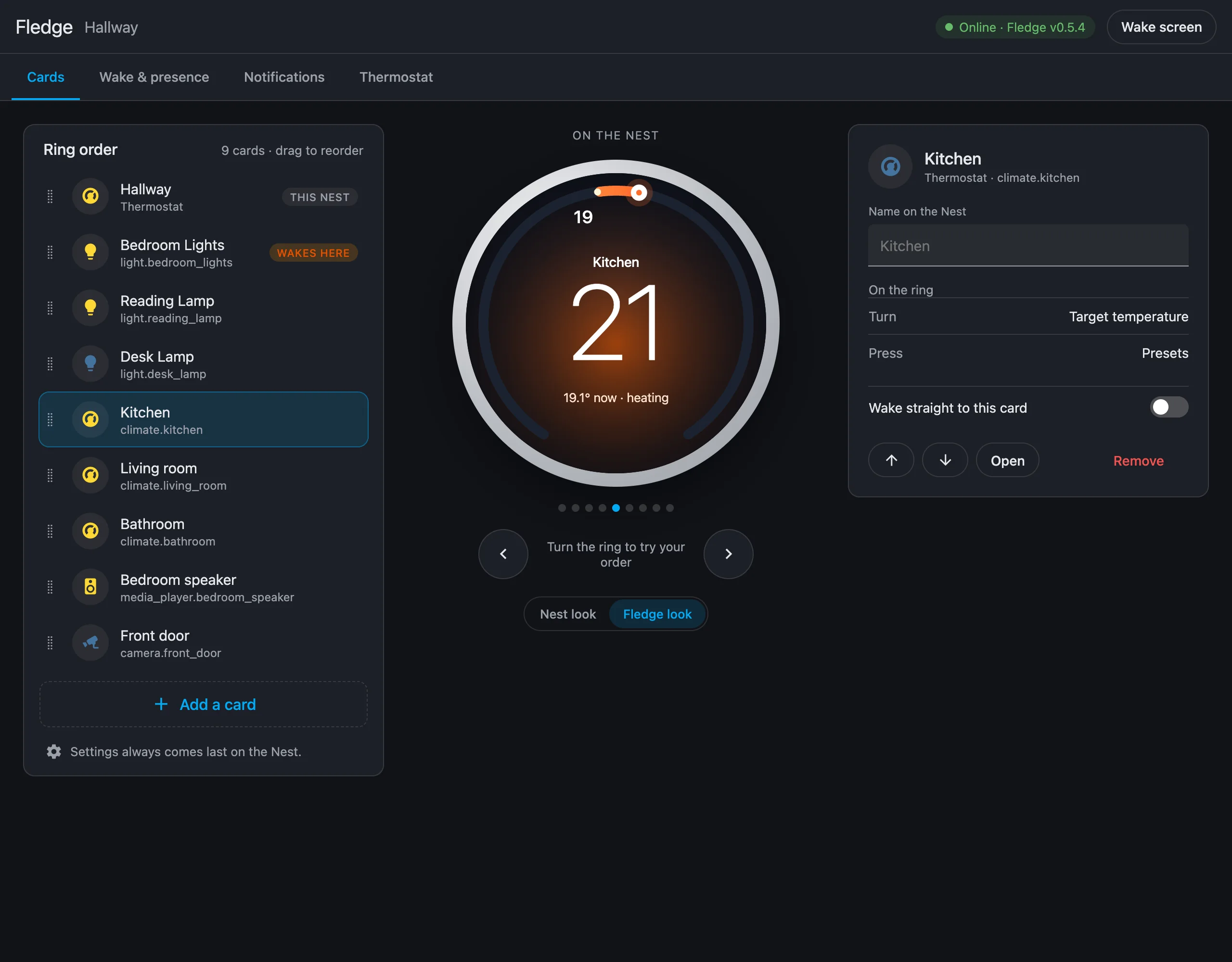
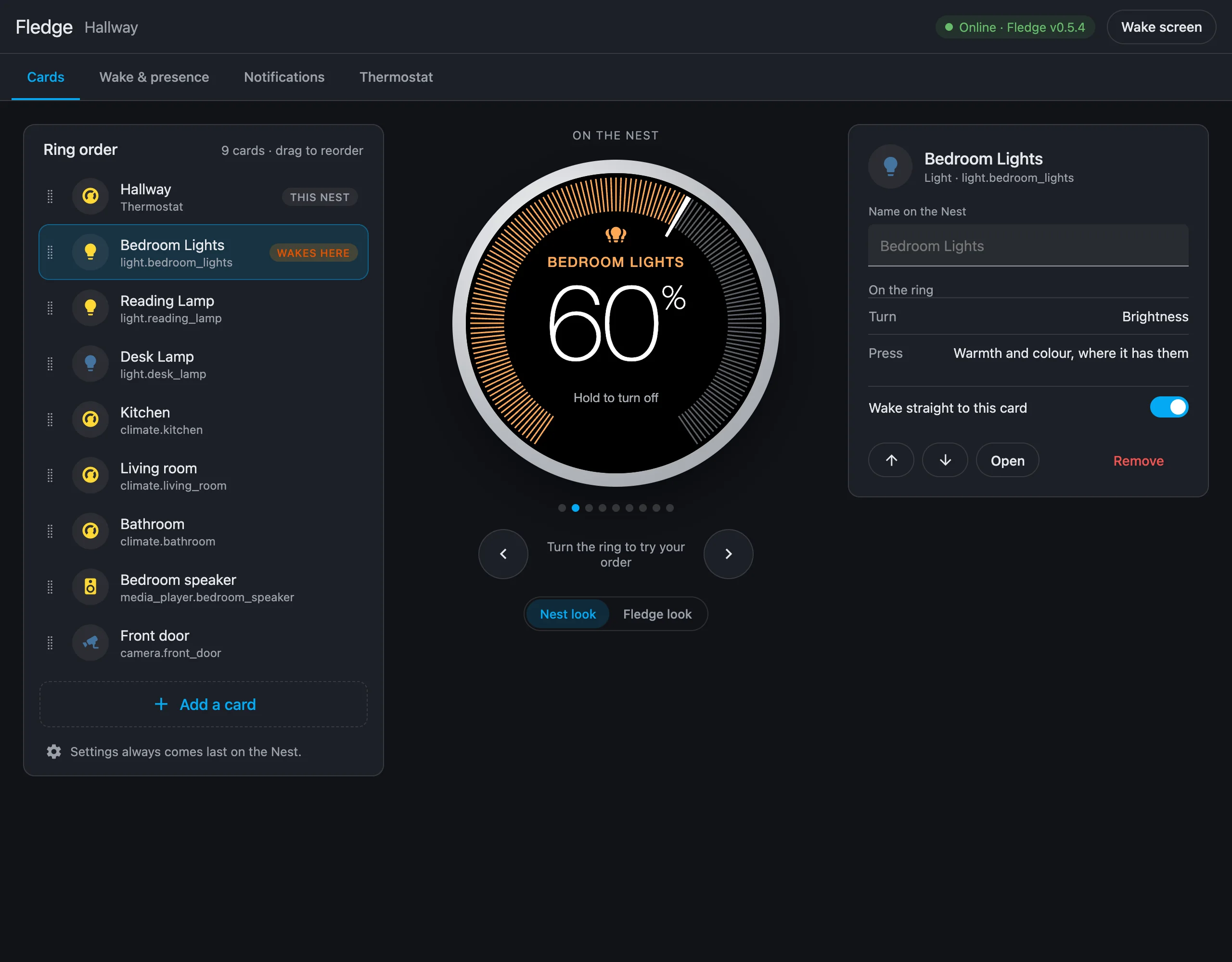
Drag your devices into the ring's order, rename any of them for the Nest, and choose one to wake straight to. Turn the ring on the page to try the order before you save.
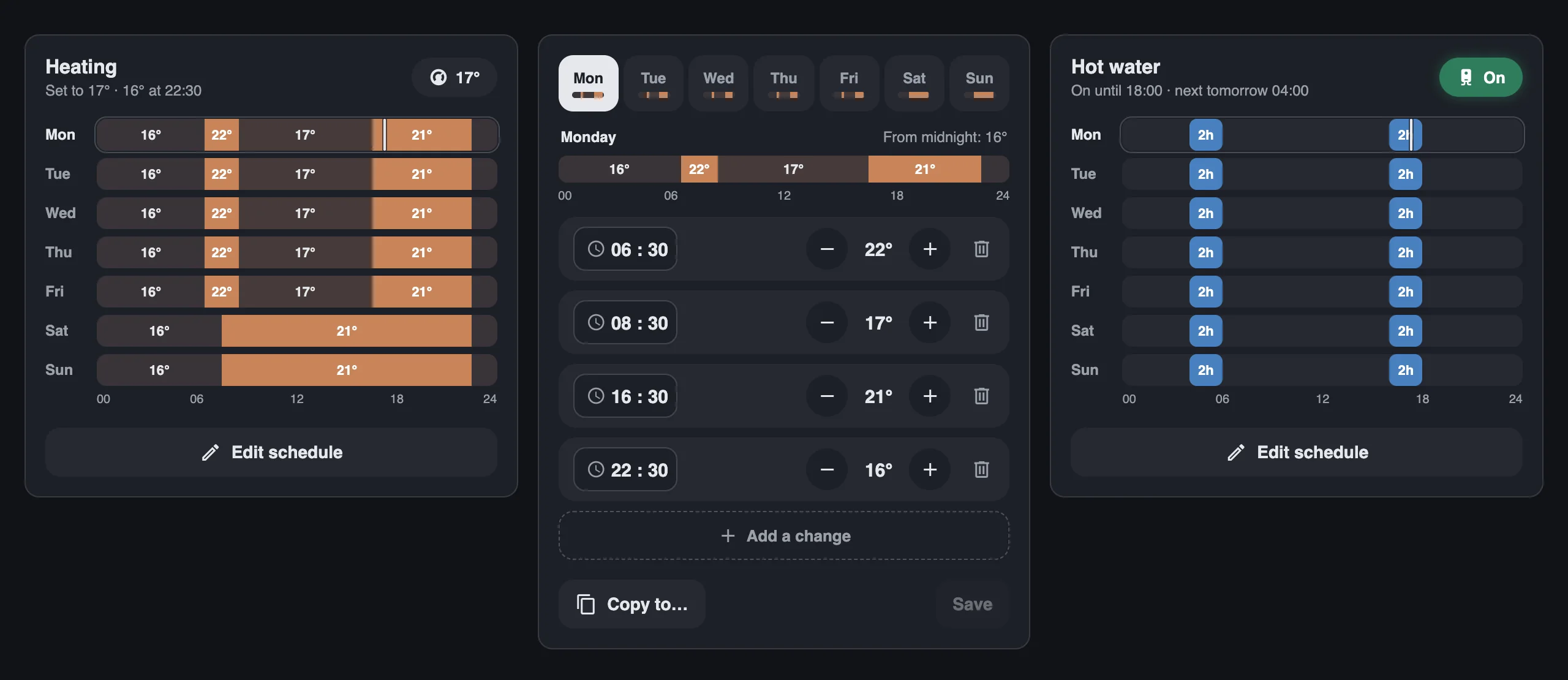
Two dashboard cards show the week's heating and hot water at a glance, and edit them: change a time or a temperature, copy a day to the rest of the week, and save. The Nest gets the whole schedule in one write.
Download it, restart Home Assistant, then add it. Each button opens the right page in your own Home Assistant.
Nest's own software keeps running the heating, the schedule, the learning and the safety limits. Fledge runs beside it and stands in for Google's cloud, so the thermostat talks to Home Assistant over MQTT on your own network. No Google account, and no internet needed.
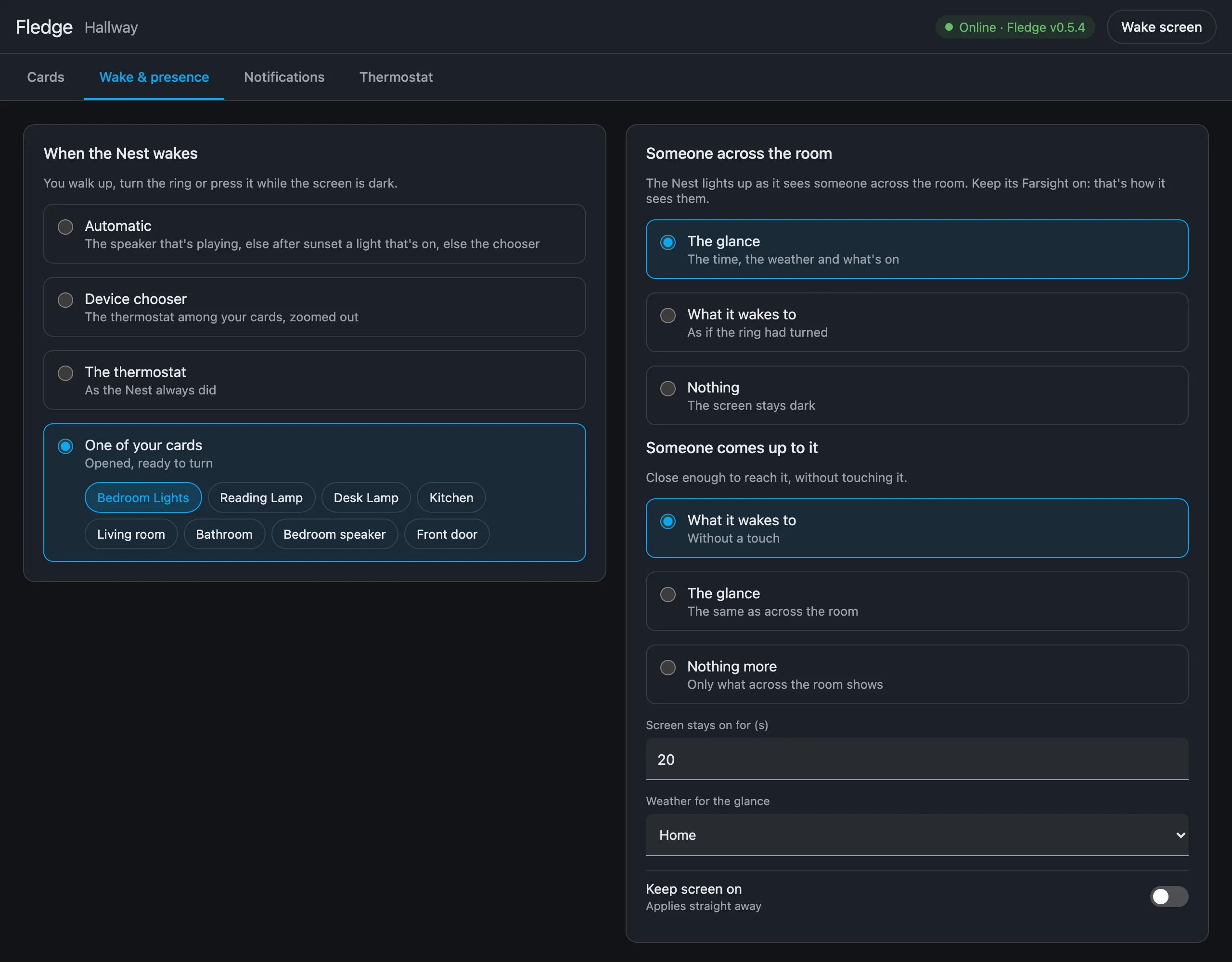
The time, the weather and what's on, when the Nest sees you come in. Your cards when you walk up.
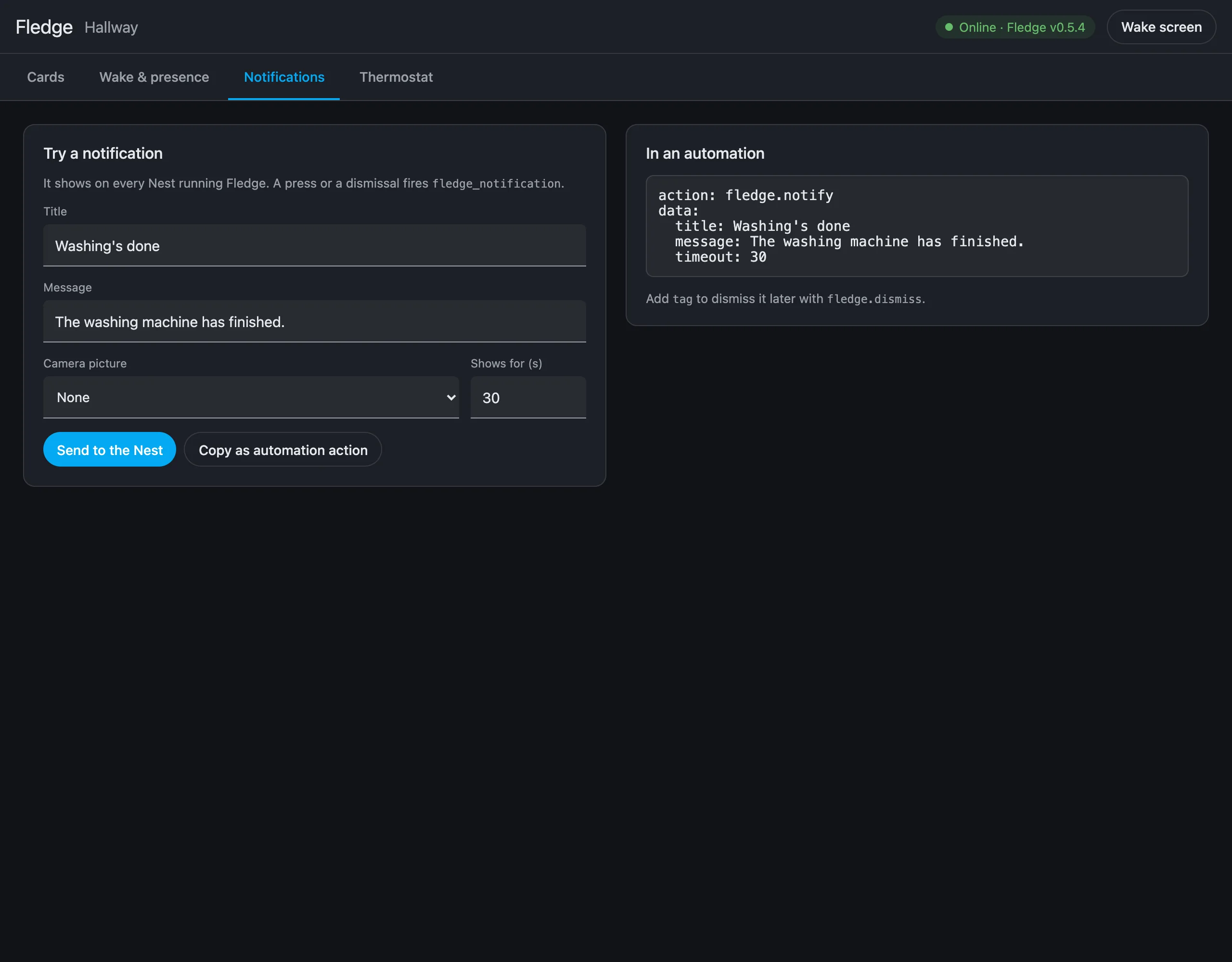
An automation can put a message or a camera's picture on the screen, and act on the press that answers it.
Signed releases arrive as an ordinary update entity, and roll back by themselves if one fails to start.
Two dashboard cards edit the Nest's own heating and hot water schedules.
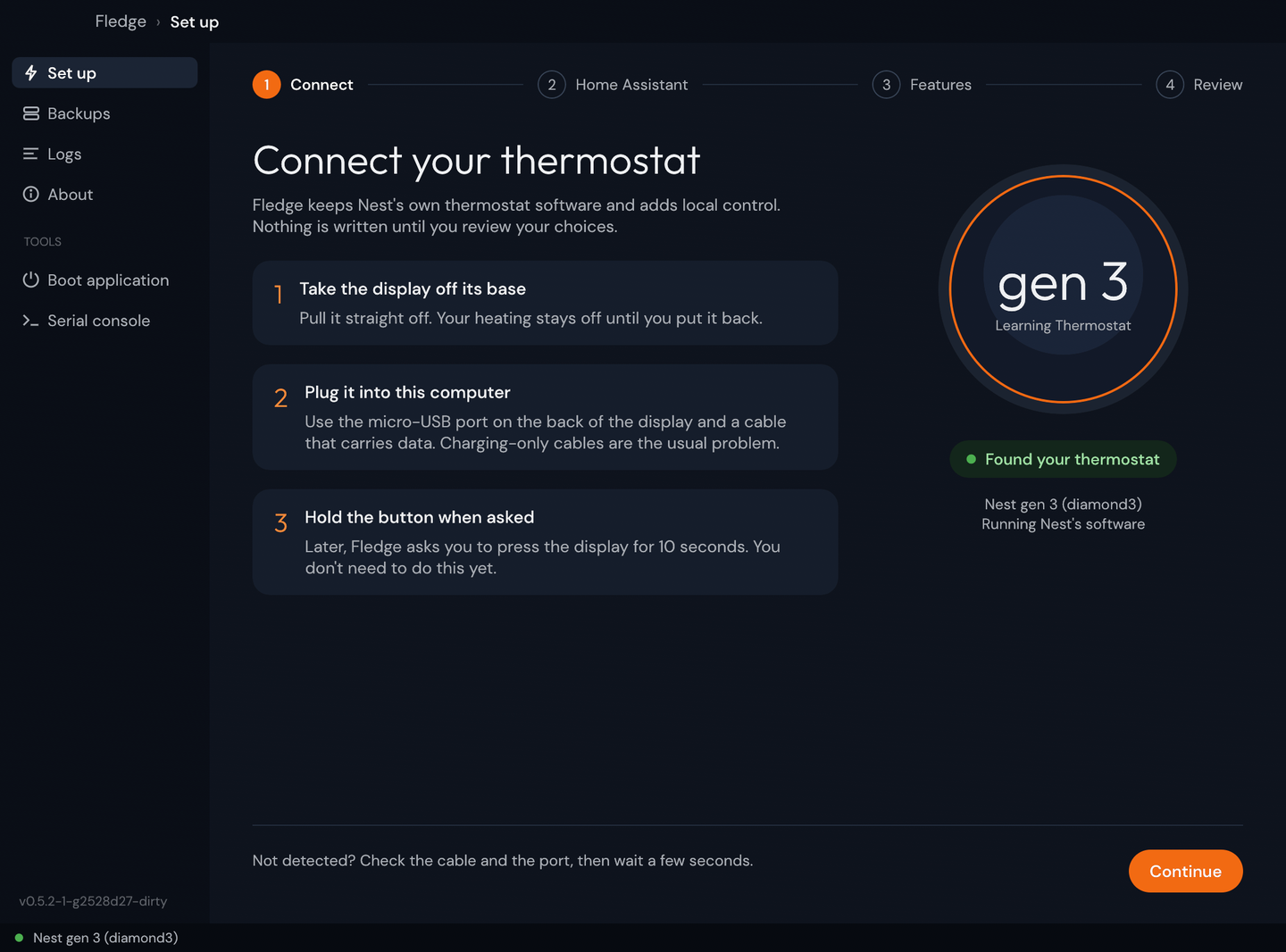
Take it off its base and connect it with a micro-USB cable that carries data. The Fledge app runs on macOS, Windows and Linux.
Give it your MQTT broker and choose what you want. It offers a full backup of the thermostat first, so you can always put it back exactly as it was.
The thermostat appears by itself. The Fledge integration puts your devices on its screen, in the order you drag them into.
Fledge has been tested on exactly one thermostat: a 3rd generation Nest Learning Thermostat on Nest firmware 6.4-8, a European model with a Heat Link driving heating and hot water, set up with MQTT and Home Assistant. On anything else, you are the first.
It rewrites the flash of the device that runs your heating. A failed run can leave the thermostat unbootable. Take the backup, and have another way to heat the house while you try it. Fledge comes without any warranty.