 Fledge
 documentation
Fledge roots a Nest Learning Thermostat (3rd generation) over USB, runs it on your own network without Google's cloud, and puts Home Assistant on its screen.
Read this first. Fledge has been tested on exactly one thermostat: a 3rd generation Nest Learning Thermostat on Nest firmware 6.4-8, a European model with a Heat Link driving heating and hot water, set up with MQTT and Home Assistant. On anything else, you are the first.
It rewrites the flash of the device that runs your heating. A failed run can leave the thermostat unbootable. Take the backup the app offers, and have another way to heat the house while you try it. Fledge comes without any warranty.
Two parts
Fledge comes in two pieces, released separately, that talk to each other only over your MQTT broker:
| Where it runs | What it does | Updates from | |
|---|---|---|---|
| Fledge (sysmoon14/fledge) | The thermostat, put there by the Fledge app on your computer | Stands in for Google's cloud; speaks MQTT, Matter and Zigbee; draws the cards on the screen | Its own update entity in Home Assistant |
| Fledge for Home Assistant (sysmoon14/fledge-homeassistant) | Home Assistant | Chooses the cards and sends them to the thermostat; the panel, glance, notifications, schedule cards | The Marketplace (HACS) |
The first part alone gives you a local, cloud-free thermostat in Home Assistant. The second puts your home on its screen.
How it works
Nest's own app, nlclient, keeps running the thermostat: the heating, the schedule, the learning and the safety limits. Fledge adds nestlocal beside it. nestlocal stands in for Google's cloud on the thermostat itself and relays everything to MQTT, Matter or Zigbee on your network instead. Google's servers can be blocked outright.
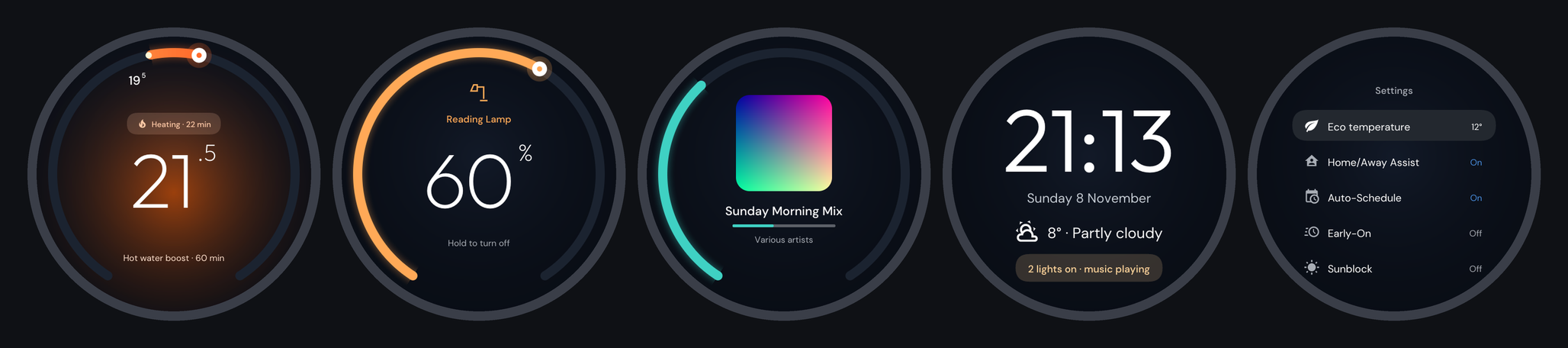
When you walk up, nlclient hands its display and ring to nestlocal, which draws your Home Assistant devices as cards at 60 frames a second, with the Nest's own clicks. The thermostat's own card and its everyday Settings are drawn the same way; nestlocal sets the thermostat through the same settings Home Assistant uses. Nest's own screens come back for its dial (if you choose it) and its full menus.
What you need
- A Nest Learning Thermostat, 3rd or 2nd generation (2nd generation support is new in v0.11.0). The 1st generation and the Nest Thermostat E aren't supported; for those, use unfr0zen.
- A micro-USB cable that carries data, and a Mac, Windows or Linux computer.
- Home Assistant 2026.3 or later with an MQTT broker (the Mosquitto add-on is fine) that the thermostat can reach over Wi-Fi. The network doesn't need internet access.
Where to start
Credit
Fledge is a fork of unfr0zen, which worked out how to get into the thermostat, back it up, patch it safely and run it locally over MQTT, Matter and Zigbee. Fledge adds Home Assistant on its screen and its releases on top of that.