 Fledge
The Fledge panel
Fledge adds a page to Home Assistant's sidebar (admins only). Every card on it is drawn by a port of the code that draws it on the thermostat, live from your devices, so what you see there is what the Nest will show.
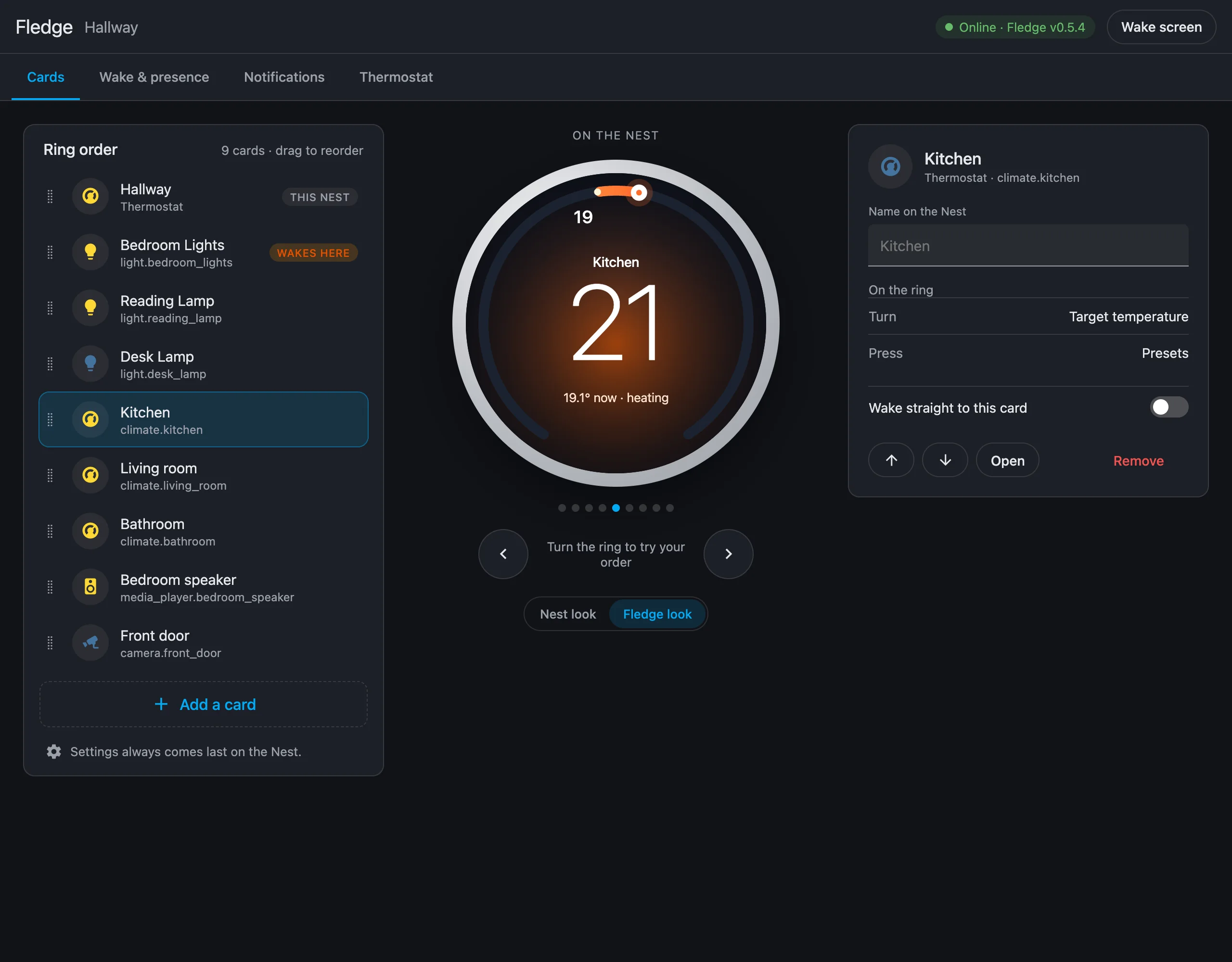
Cards
- Drag the cards into the ring's order. The thermostat's own card moves too; Settings stays last.
- Rename a card for the Nest without renaming it in Home Assistant, or rename the thermostat itself.
- Wake straight to a card, instead of the chooser.
- Set a ring's limits: its lowest and highest, and whether each can be pushed past. See Ring limits.
- Add a face card, designed on the Glance tab, with the actions on its ring. See Face cards.
- Turn a ring on the page to try the order and see each card drawn as the Nest draws it, in Fledge's look or the Nest's, with what a turn, press and hold will do.
- For an alarm panel, name its modes and set the code length. See Alarm panels.
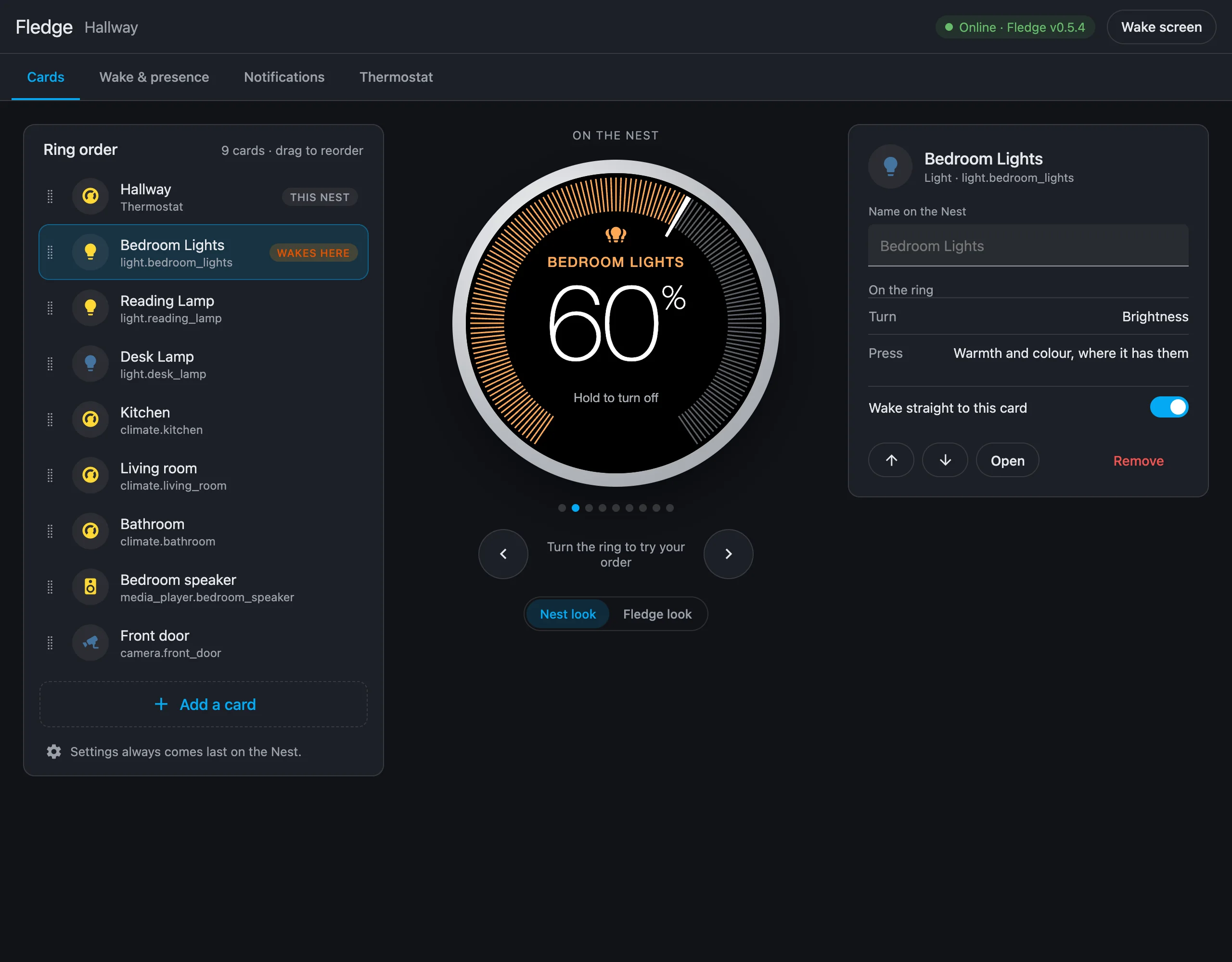
Wake and presence
What the Nest shows when you walk up, when it sees you across the room, and how long the screen stays on. See Wake to and The glance.
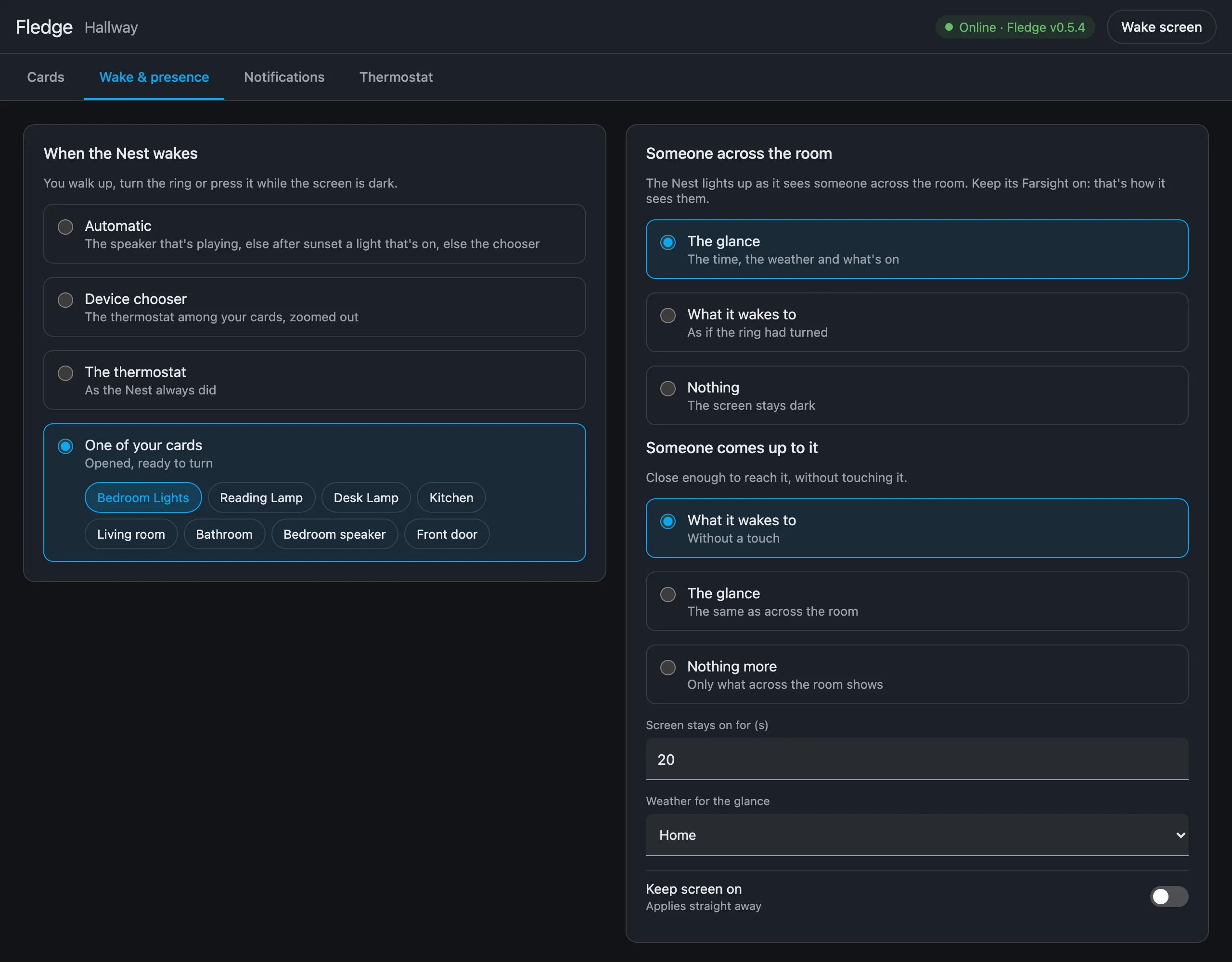
Glance
The glance's layout, lines, clock and night look, with a preview and Try on the Nest. Face cards are designed here too: pick one at the top of the tab. See The glance.
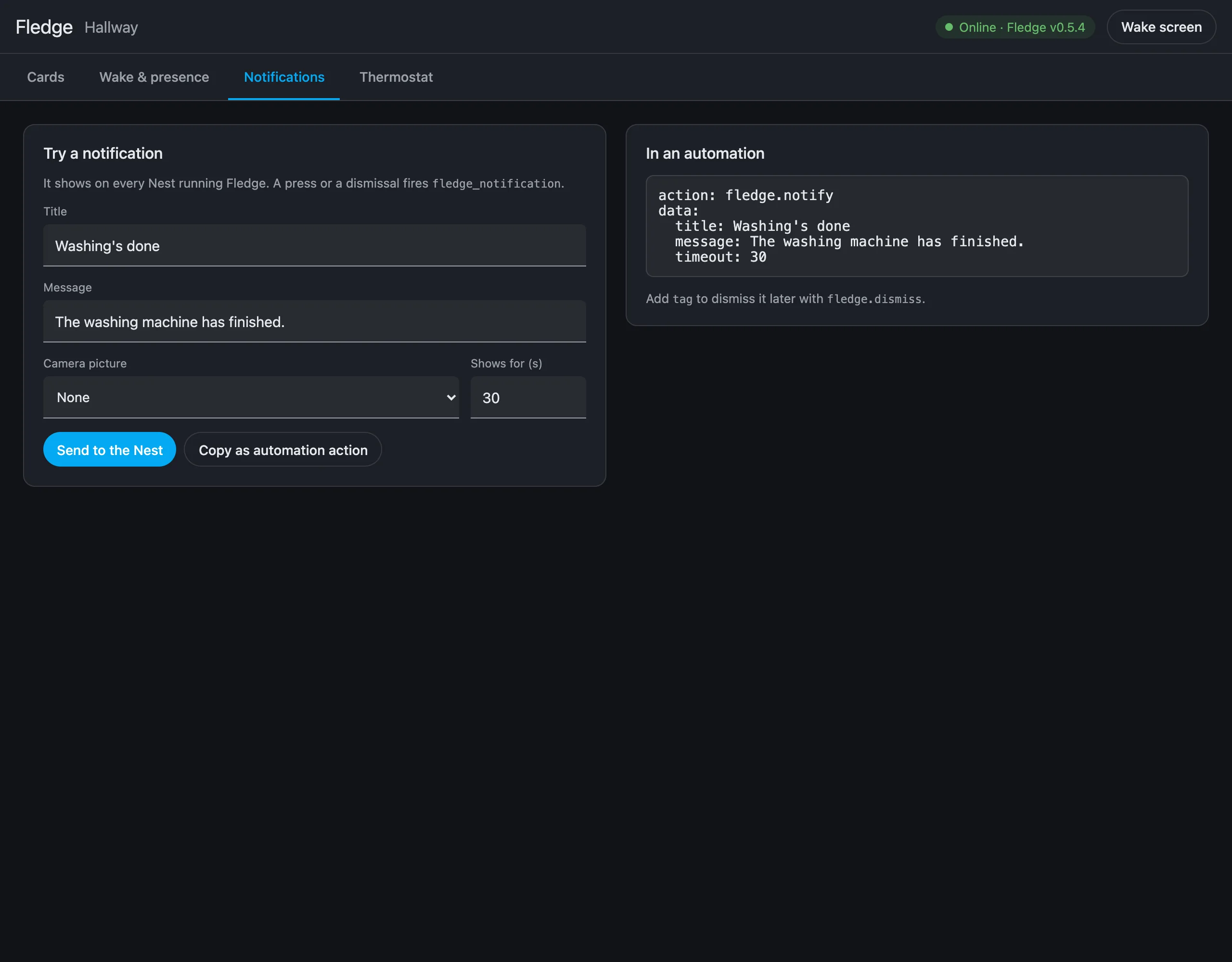
Notifications
Write a notification, send it to the Nest to see how it looks, and copy it as an automation action. See Notifications.
Thermostat
The thermostat's builds, its update and a button to check for one, and Weather and temperature: the weather entity, an outside thermometer and a room thermometer. See Weather and room temperature.