 Fledge
Schedules
Two dashboard cards show and edit the Nest's own weekly schedules, heating and hot water. They load with the integration; there's nothing to add under Resources.
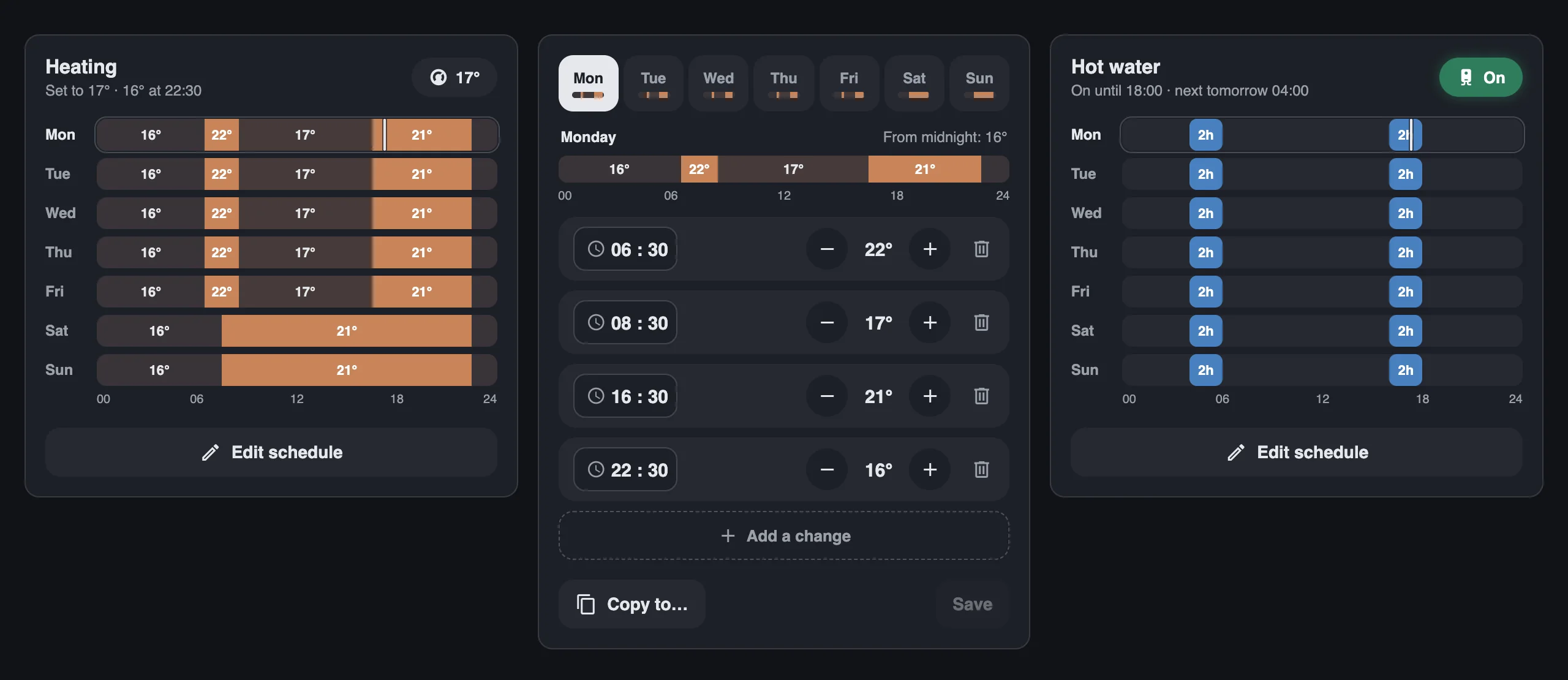
The cards
type: custom:fledge-heating-schedule
entity: climate.nest_thermostat
type: custom:fledge-hot-water-schedule
entity: climate.nest_thermostatEach shows the week, with today and the time now marked. Tap a day or Edit schedule to change it: a day at a time, with every changed day saved together in one write.
- Copy to… gives the day you're on to others: Weekdays, Weekend, Every day, or picked one by one. Undo stays for a few seconds after.
- On the hot water card, the pill pauses and resumes the schedule. On the heating card, it opens the thermostat.
- Times are 24-hour.
In your own popup
The editor opens in the card's own dialog. To use your own popup instead (a Bubble Card popup, for example), give the card edit: '#your_popup' and put the editor card, with the same entity, in that popup:
type: custom:fledge-heating-schedule
entity: climate.nest_thermostat
edit: '#heating_schedule'
type: custom:fledge-heating-schedule-editor
entity: climate.nest_thermostatFor hot water, use fledge-hot-water-schedule-editor.
From automations
The cards write with fledge.set_schedule, which automations can use too. It replaces the days it names and keeps the rest. Days are mon to sun; an empty list clears a day.
action: fledge.set_schedule
data:
  entity_id: climate.nest_thermostat
  heating:
    sat: [{ time: "08:00", temp: 21 }, { time: "22:30", temp: 16 }]
    sun: [{ time: "08:00", temp: 21 }, { time: "22:30", temp: 16 }]
  hot_water:
    sat: [{ on: "07:00", off: "08:00" }]
Writing the heating schedule turns the Nest's Auto-Schedule off, as any edit of its schedule does, and sets the temperature that applies now unless the Nest is in Eco.